BambuFarm
Monitor, manage, and control your entire Bambu Lab printer fleet.


Printers
P1S-1
Offline
P1S-AMS-1
Offline
P1S-2
Offline
P1S-AMS-2
Offline
P1S-AMS-3
Offline
A1-AMS-1
Offline
Features
Everything you need to
run your print farm.
Built from the ground up for Bambu Lab printers. Monitor, manage, and stay in control — all from one app.
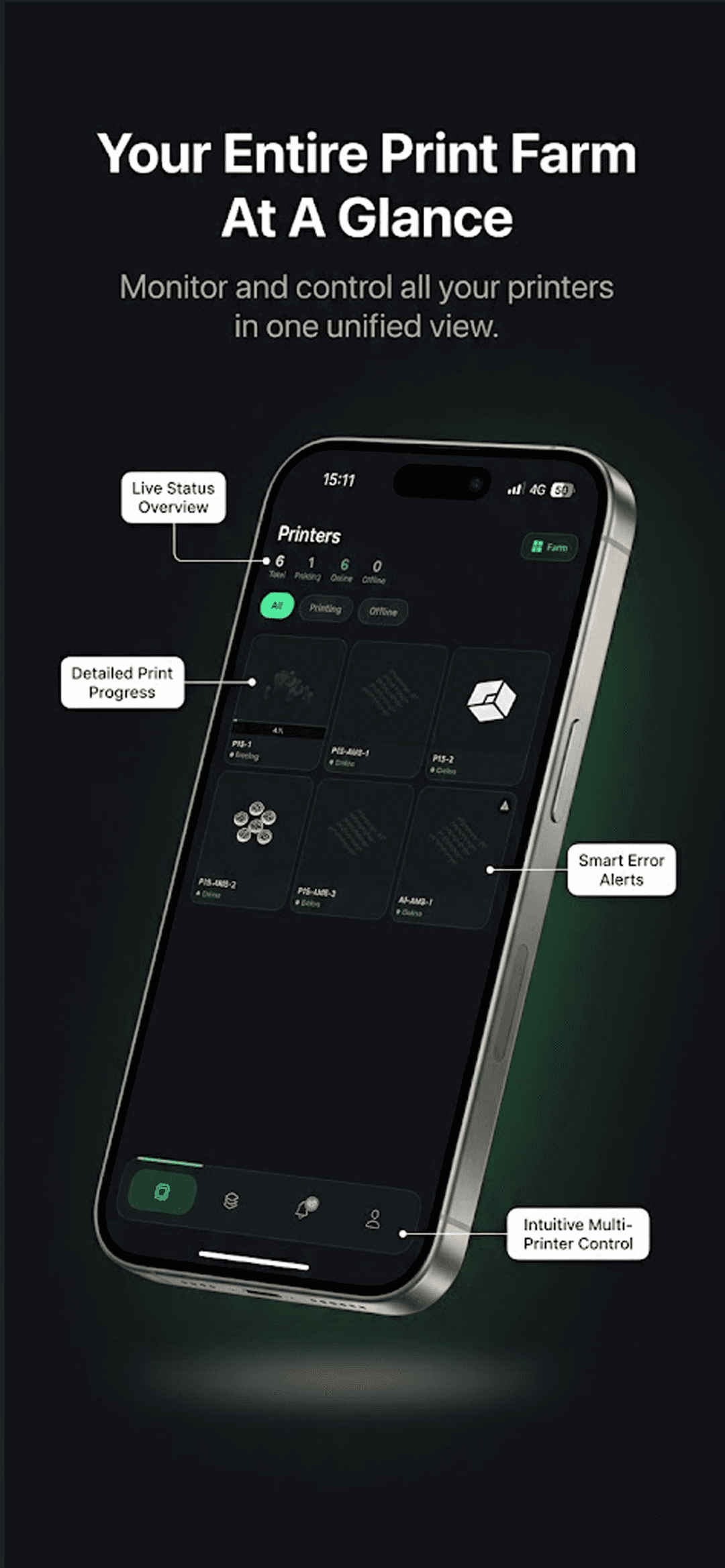
Live Fleet Overview
See all your printers in one unified grid with real-time status indicators and print progress.
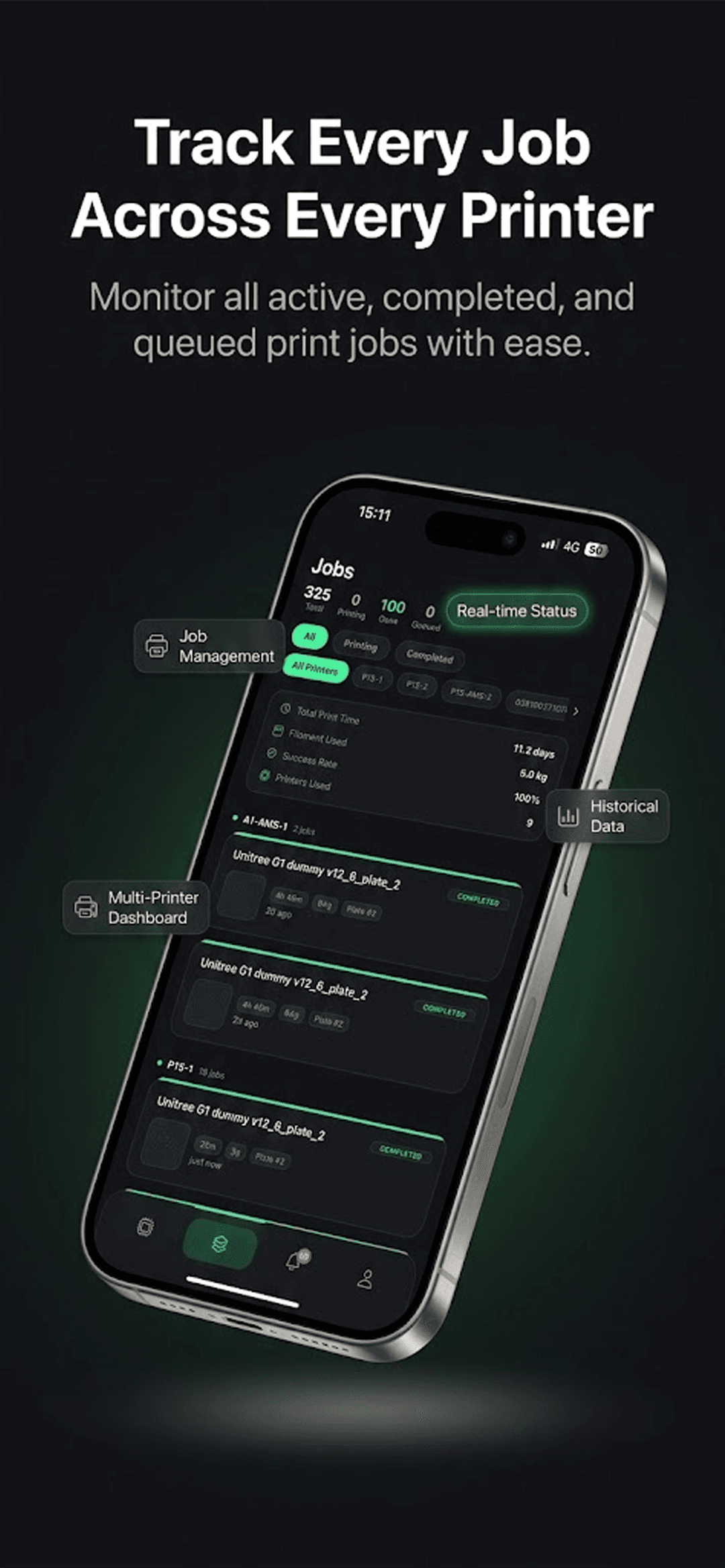
Job Management
Track active, completed, and queued print jobs across all printers with detailed history.
Smart Notifications
Get alerted when prints complete, encounter errors, or need your attention.
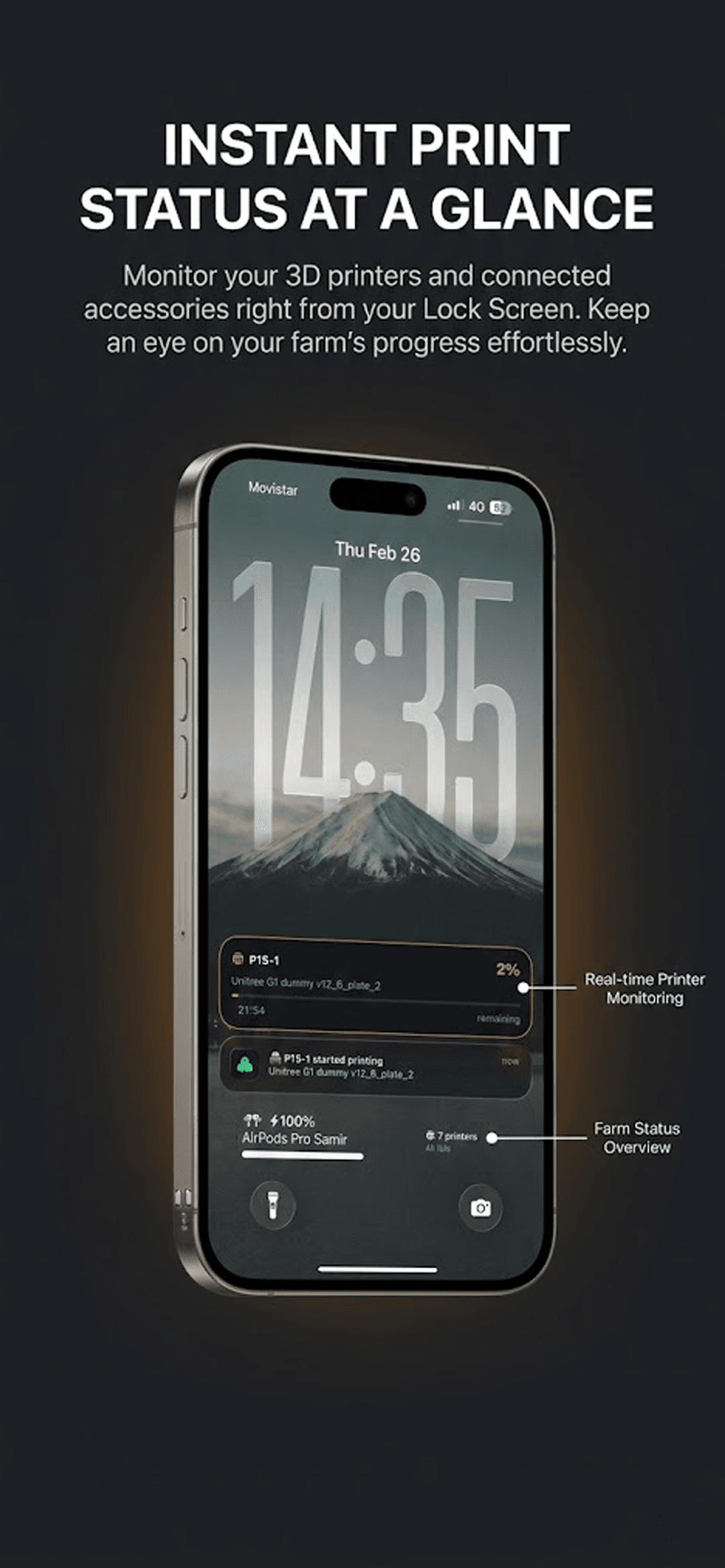
Lock Screen & Widgets
Monitor your farm from your Home Screen and Lock Screen with beautiful, glanceable widgets.
3D File Previews
See detailed previews of your print files with model thumbnails and material specs.
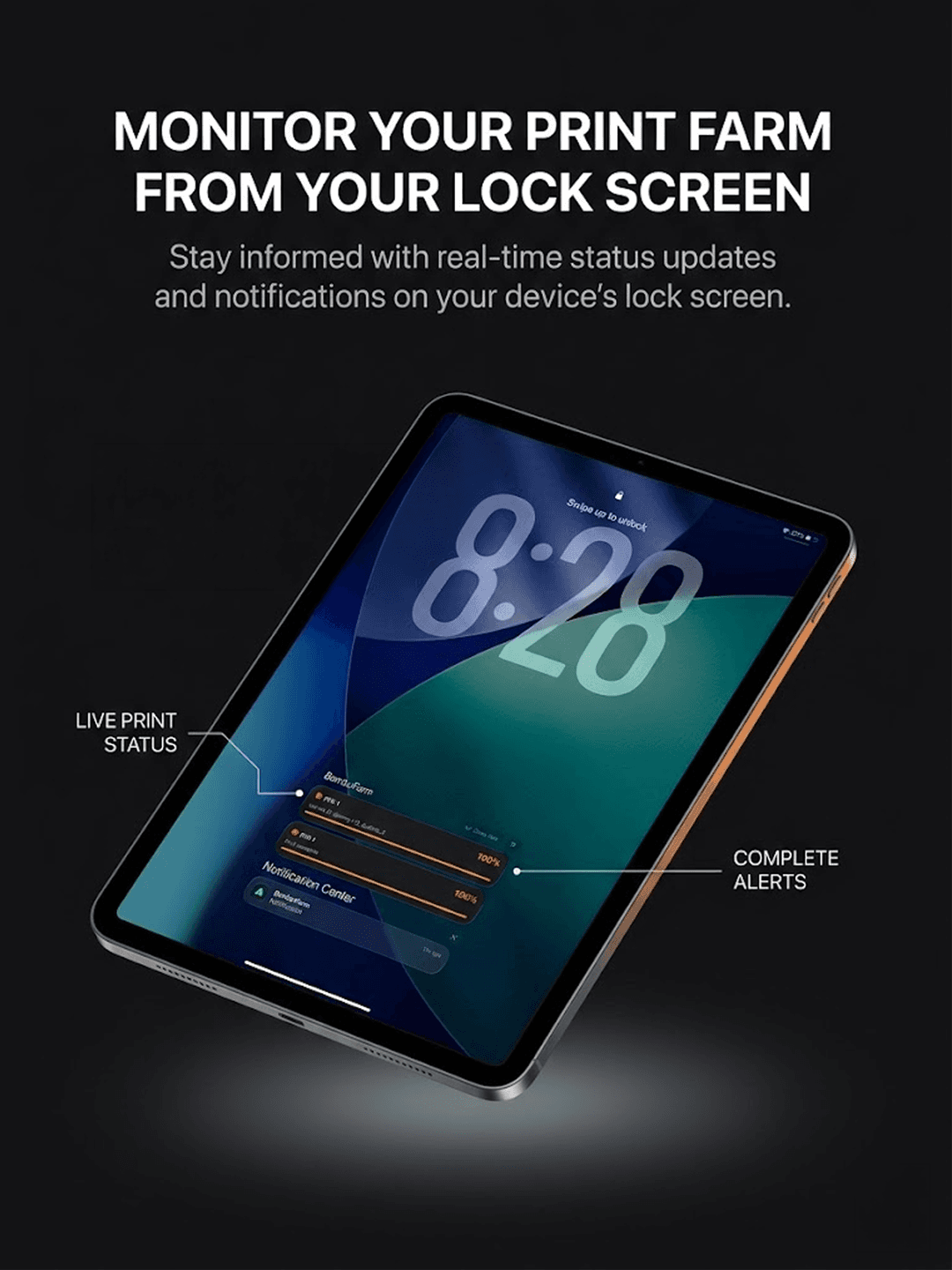
iPad Optimized
Full iPad support with a layout designed for the big screen — manage your fleet in style.
Screenshots
See it in action.
Designed with a dark, premium interface that puts your printers front and center.
iPhone
Farm Overview
iPad
Lock Screen Monitoring
Lock Screen
Monitor from your Lock Screen
Stay informed with real-time status updates and notifications without even unlocking your device. See live print progress, get completion alerts, and check your farm status at a glance.
Fleet Management
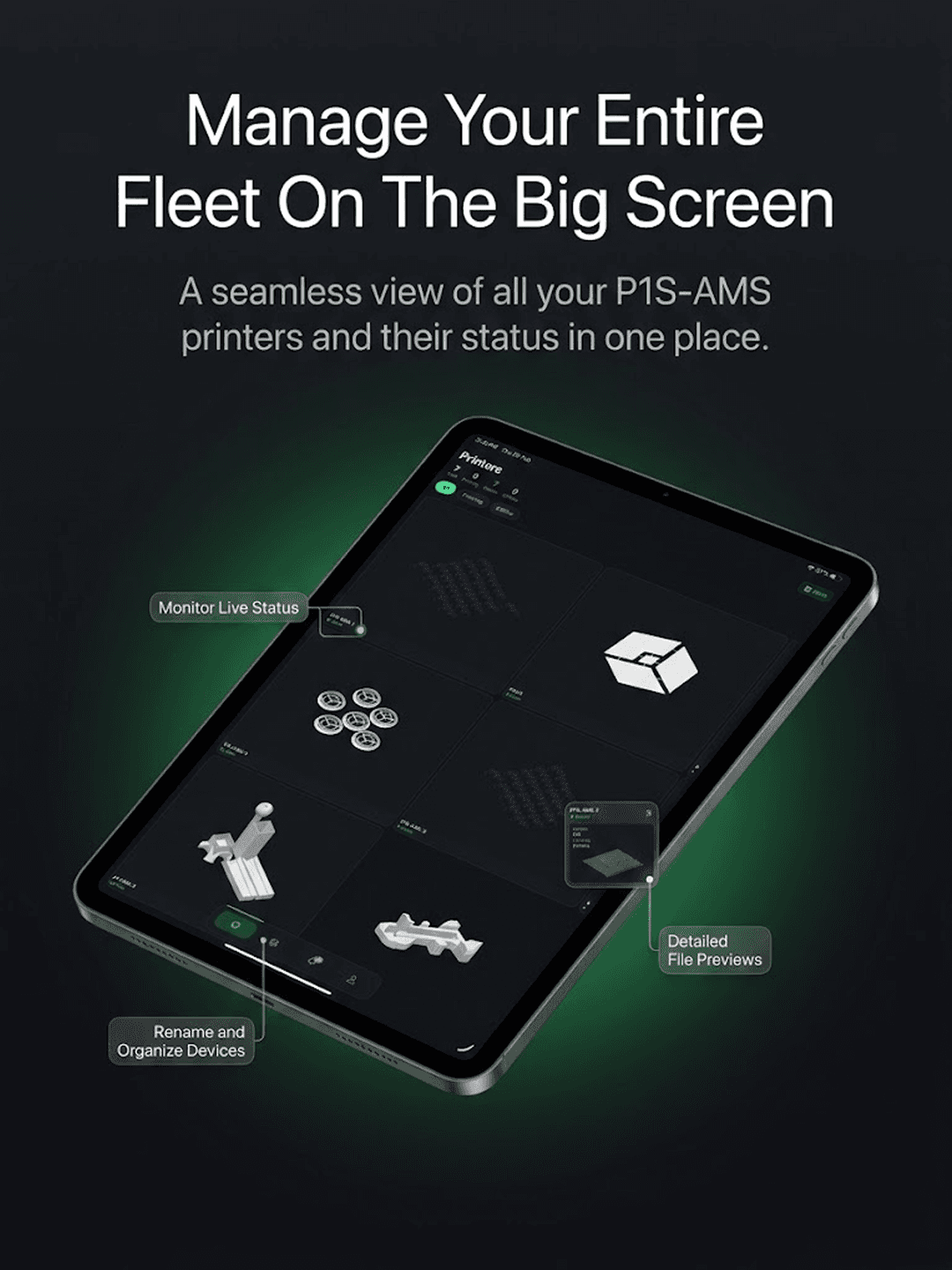
Your entire fleet, one screen
A seamless view of all your P1S-AMS printers and their status in one place. Rename and organize devices, view detailed file previews, and monitor everything live on iPad.
Job History
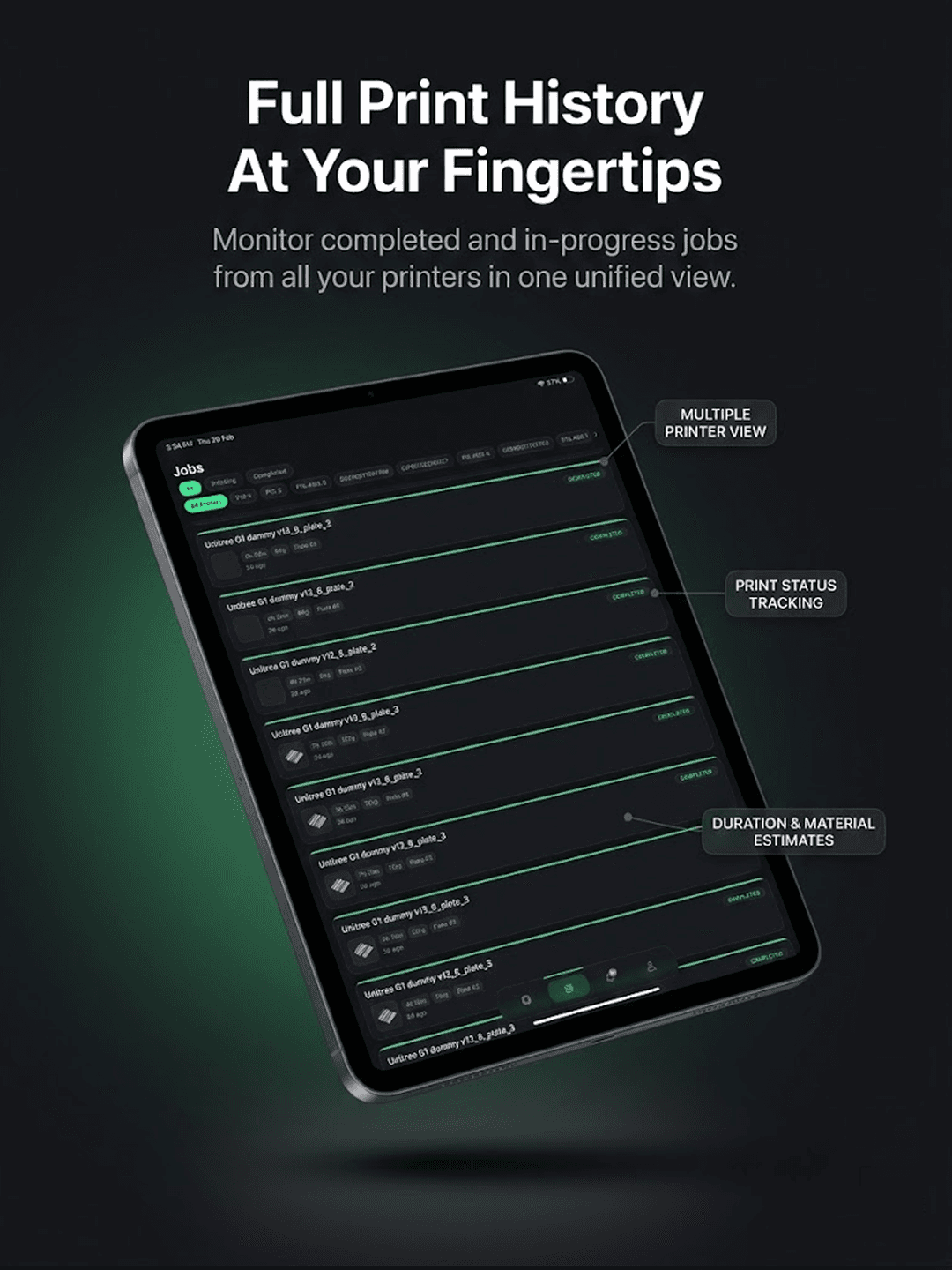
Full print history at your fingertips
Monitor completed and in-progress jobs from all your printers in one unified view. Filter by printer or status, track duration and material usage, and view your success rate over time.
BambuFarm Bridge
See all your cameras.
From anywhere.
BambuFarm Bridge is a lightweight desktop app that runs on your PC 24/7, bridging your Bambu Lab printer cameras to BambuFarm. Once installed, you can view all your printers' live feeds from anywhere — no port forwarding, no extra hardware.
Keep Bridge running on any machine on your network to enable live multi-camera streaming in BambuFarm.

Start managing your
print farm today.
Download BambuFarm for free and take control of your Bambu Lab fleet.